|
|
 |
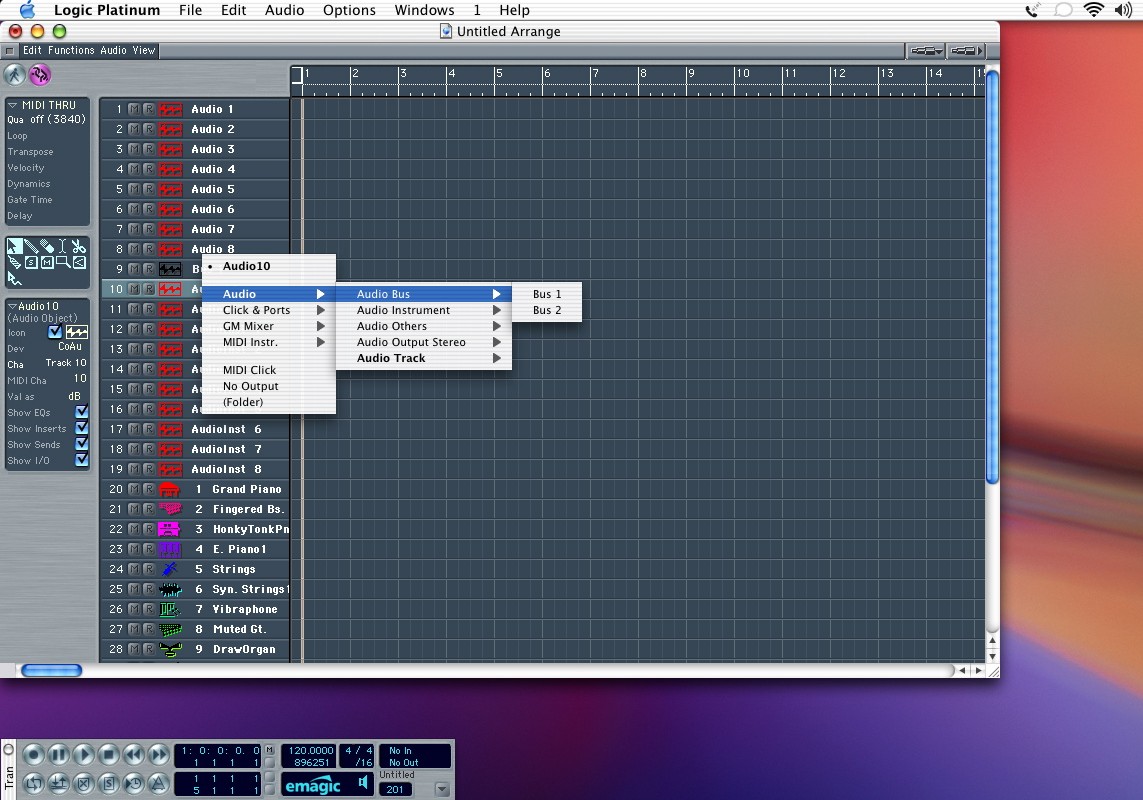
| OK, now go back to the arrange window. We have 8 audio tracks, but you saw from the environment that there were a lot more audio objects available. We can easily create new audio tracks by doing a single click on audio 8 to highlight that track, then doing ctrl-shft-return. This creates a new audio object with the next available audio object. Don't worry about the lingo though...think of it as creating a new track like in DP or PT. If you want to use this new track for recording audio you don't need to do anything. If you want to use it as a bus or master, you need to click and hold on the name. Menus pop up and you can navigate to what you want to assign the track to. In this case I'm making a track object assigned to the bus 1 object. |
|