

| home -> tutorial -> page 8 |
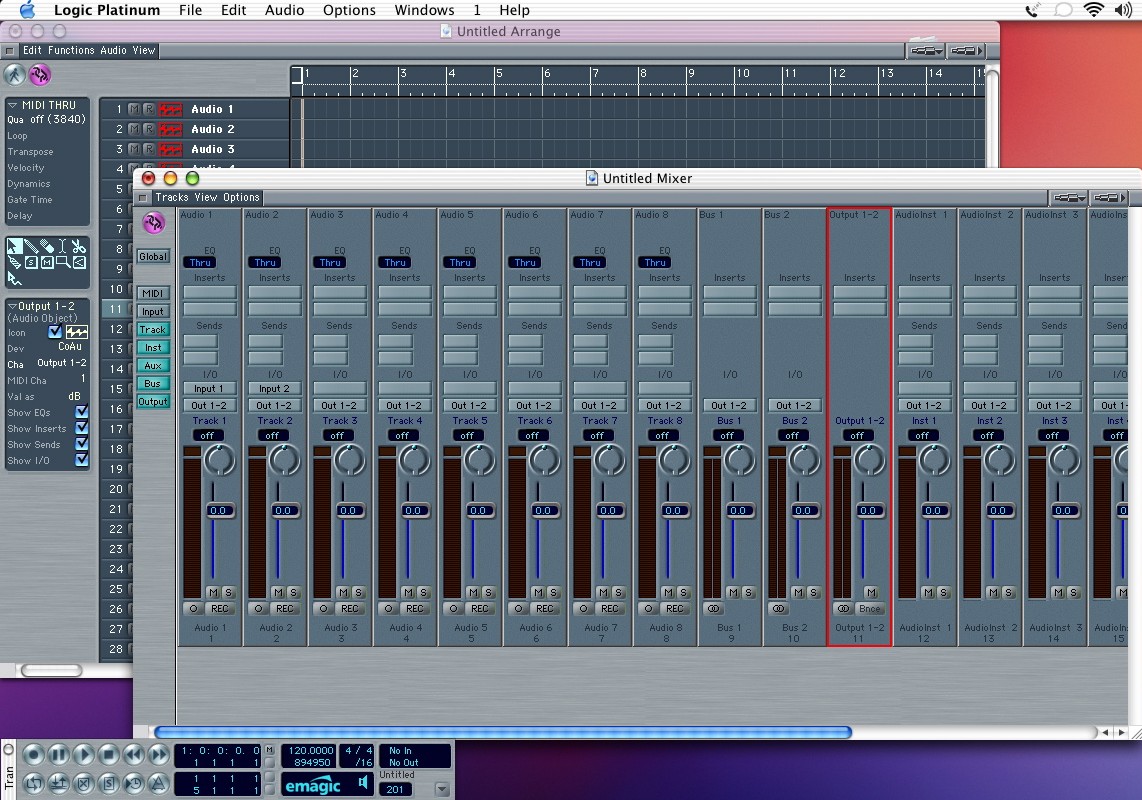 |
| Now lets take a look at the track mixer (cmd-M). This is different from the mixer in the environment...this is like the mixer in PT. You'll notice that this mixer now reflects the tracks in our arrange window, and you can see the 2 buses and output. The rest of the mixer behaves just like a typical DAW. Effects inserts at the top (click and hold), and don't worry about only having 2. Once you add 2 effects a 3rd slot magically appears. Very cool. |