|
|
 |
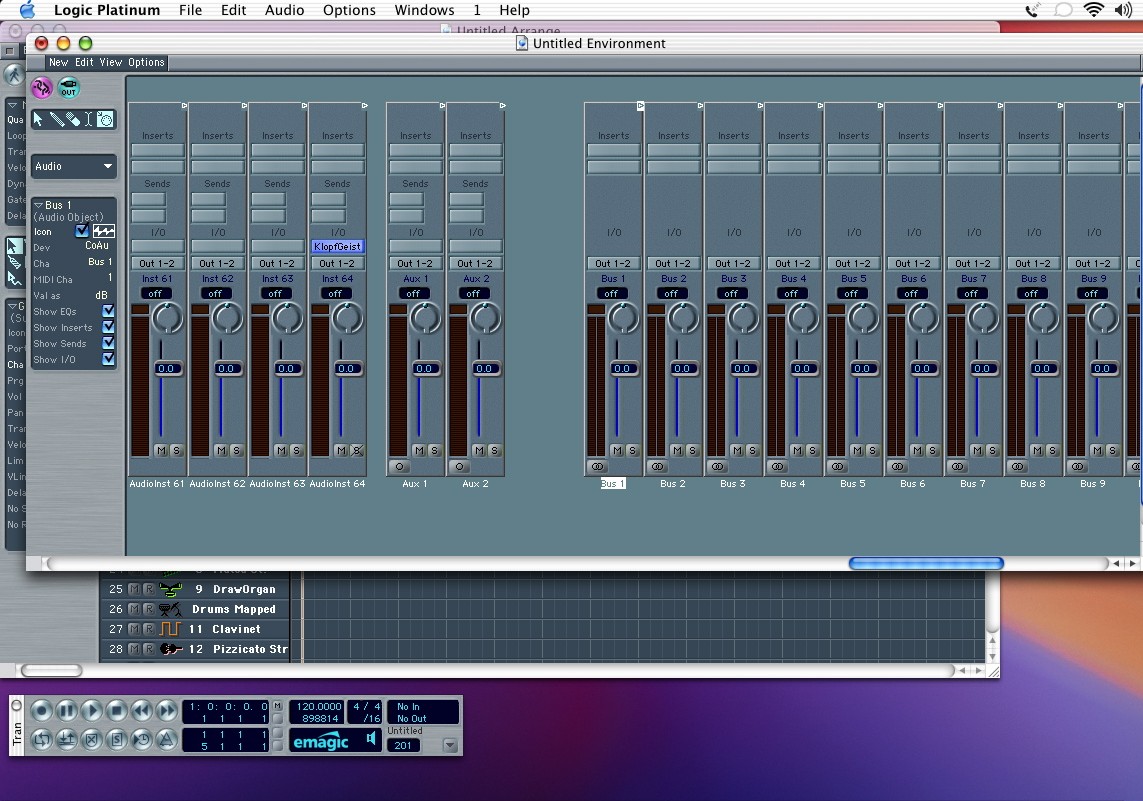
| Here I've scrolled over and highlighted Bus 1. You can check out the parameters for this object on the left side of the window. Click on the check box labeled "icon". The small icon will change from being crossed out to having color. This object can now be found on the arrange page, but you'll have to create a track object to show it. First, lets change the icon property on a few more objects so we can put them on the arrange page. Repeat the above process for as many buses as you'll think you need. You'll want to use buses for submixes and/or applying processor intensive effects like reverb. |
|